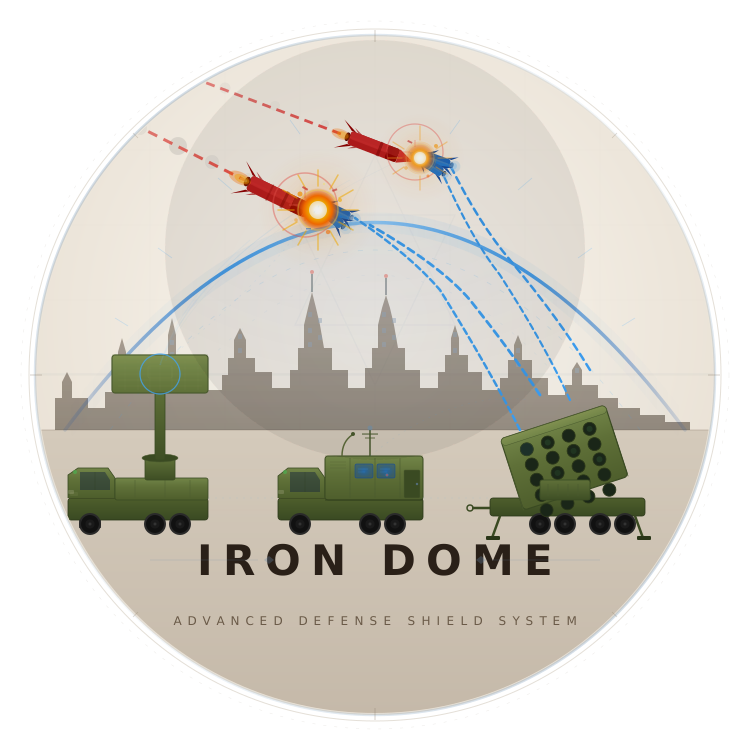

MISSION-GRADE PASSWORD SECURITY.
ZERO TRUST. ZERO CLOUD.
Your vault lives on your machine. AES-128-CBC encrypted. Biometric-locked. No servers. No sync. No breach surface.
pip install IronDome 






Why IronDome
Built on three unbreakable principles. Every design decision traces back to them.

Zero Knowledge
Your master password never touches disk. Only a salted PBKDF2 hash — 600,000 rounds — is derived in memory and immediately discarded. Even if someone dumps your filesystem, there is nothing to find.

Machine Specific
Encryption keys are derived from your machine’s unique identifiers. Steal the vault file, copy it anywhere — it’s encrypted to a machine identity it will never be on. No matching identity, no access. Full stop.

Biometric Shield
Touch ID on macOS. Windows Hello on Win11. Fingerprint auth on Linux via PAM. Your body IS the second factor. Three failed attempts locks the vault for 60 minutes.
How It Works
Three steps. No accounts. No server configuration. No cloud dependency.
Create Your Bunker
$ irondome create bunker Bootstrap your vault: set master password, configure auth mode, generate machine-specific keys.
Open Airspace
$ irondome open airspace Authenticate via biometric or password. Opens a 30-minute session. All vault commands unlocked.
Manage Secrets
$ bunker create Add, retrieve, search, backup. Full encrypted vault operations from your terminal.
Full Feature Set
Four defence layers. Ten battle-tested capabilities. Zero compromises.
AES-128-CBC ENCRYPTION
Fernet symmetric encryption backed by PBKDF2-HMAC-SHA256 at 600,000 iterations. Every credential encrypted with a unique key. Brute-force cost: thermodynamically hostile.
OFFLINE. ALWAYS.
Zero network stack. Zero cloud. Zero attack surface. If it cannot phone home, it cannot be breached remotely.
ZERO KNOWLEDGE
No telemetry. No accounts. No servers. We cannot see your vault because there is no "we" between you and your data.
BIOMETRIC AUTHENTICATION
Touch ID, Windows Hello, and fprintd. Hardware-attested biometric gate before every vault session. Your face and your fingerprint are your credentials.
MACHINE-SPECIFIC KEYS
Keys derived from CPU serial, motherboard UUID, and hostname. Copy the vault file — it is useless without the exact hardware that created it.
SESSION INTEGRITY
Configurable inactivity timeout with hard-lock on expiry. Session token chmod 0600. No session survives a reboot.
CLIPBOARD AUTO-CLEAR
Copied credentials self-destruct from clipboard after 30 seconds. No lingering plaintext. No accidental paste into the wrong window.
FULL TERMINAL COMMAND CENTER
A 12-screen TUI built on Rich. Vault list, credential inspector, audit log, settings panel, backup manager — all keyboard-driven, all without leaving your terminal.
Ctrl+P COMMAND PALETTE
Every action, one keypress away. Fuzzy search across all commands. No menu navigation, no mouse required.
CROSS-PLATFORM
macOS, Windows, Linux. One codebase, three deployment targets, zero platform-specific compromises.
The TUI, Unfiltered
This is the actual interface. No marketing renders.
Four-frame walkthrough of the IronDome TUI: the boot splash with ASCII dome art, the biometric login screen, the main dashboard with vault stats, and a credential detail view with password reveal and auto-hide countdown.
╔═══╦═════════════════════════════════════════════════════╦═══╗
║ ★ ║ · · · · · · · · · · · · · · · · · · · · · · · · · · ║ ★ ║
║   ║                                                         ║   ║
║ ★ ║                                        ★  THREAT ▲  ║ ★ ║
║   ║     ╭──────────────────────────────╮   ╲  INBOUND   ║   ║
║   ║   ╭─╯    I R O N D O M E           ╰─╮  ╲           ║   ║
║ ★ ║ ╭─╯       DOME : ACTIVE          ▲    ╰─╮          ║ ★ ║
║   ║╭─╯                                ║ ✸✸✸   ╰─╮       ║   ║
║   ║╯                             ▲    ╳  ✸ ✸      ╰─    ║   ║
║   ║              ▲               ║     ✸✸✸  KILL        ║   ║
║ ★ ║              ║               ●    NEUTRALIZED       ║ ★ ║
║   ║╔══╗        ║▲      ┌─┐ ┌──┐ ┌───┐ ┌──┐ ┌─┐        ║   ║
║   ║║◎ ║╔═════╗ ║║      │█│ │██│ │███│ │██│ │█│        ║   ║
║   ║╚══╝╚═════╝▄╨╨▄▄▄▄▄███▄████▄█████▄████▄███▄▄▄▄▄  ║   ║
║ ★ ║██████████████████████████████████████████████████   ║ ★ ║
║   ║                                                         ║   ║
║   ║ ═════════════════════════════════════════════════════ ║   ║
║ ★ ║    ★  SECURE VAULT  ·  FORTIFIED  ·  ZERO KNOWLEDGE  ★  ║ ★ ║
╚═══╩═════════════════════════════════════════════════════╩═══╝
The Full Security Stack
Every component of IronDome's security model, from user input to encrypted vault. No gaps. No shortcuts.
┌───────────────────────────────────────────────────────────┐
│                    USER INPUT                            │
│          ┌──────────┐    ┌──────────────┐               │
│          │BIOMETRIC │───▶│MASTER        │               │
│          │GATE      │    │PASSWORD      │               │
│          └──────────┘    └──────┬───────┘               │
│                                │                         │
│                    ┌───────────▼──────────┐              │
│                    │PBKDF2-HMAC-SHA-256   │              │
│                    │× 600,000 iterations  │              │
│                    └───────────┬──────────┘              │
│                                │                         │
│   ┌────────────┐    ┌─────────▼─────────┐               │
│   │HARDWARE    │───▶│DERIVED KEY        │               │
│   │IDENTITY    │    │                   │               │
│   │            │    │    Fernet         │               │
│   │ system key │    │ AES-128-CBC      │               │
│   └────────────┘    │ + HMAC-SHA256    │               │
│                     └─────────┬─────────┘               │
│                               │                          │
│                    ┌──────────▼──────────┐               │
│                    │  ENCRYPTED VAULT    │               │
│                    └────────────────────┘                │
│                                                          │
│   .airspace.session (chmod 0600) — 30min TTL            │
└───────────────────────────────────────────────────────────┘Encryption Deep Dive
Every algorithm chosen for a documented reason. No obscure crypto. No roll-your-own primitives.
PBKDF2-HMAC-SHA256
Password-Based Key Derivation Function 2. Transforms your master password into a 256-bit cryptographic key by running it through HMAC-SHA256 in a tight loop — 600,000 times. Each iteration depends on the last. You cannot skip iterations. There is no shortcut.
OWASP 2023 recommends a minimum of 600,000 iterations for PBKDF2-HMAC-SHA256. This reflects the current cost of GPU-based brute-force attacks. At 600k iterations on modern hardware, a single password trial takes approximately 0.3–0.8 seconds. An attacker testing 1 billion passwords would need over 9 years on a single GPU.
key = PBKDF2HMAC(
    algorithm=hashes.SHA256(),
    length=32,
    salt=salt,
    iterations=600_000,
).derive(master_password.encode())Fernet — AES-128-CBC + HMAC-SHA256
Fernet provides authenticated encryption. An attacker who modifies ciphertext cannot decrypt it — the HMAC will fail first. This prevents tampering, padding oracle attacks, and bitflip attacks simultaneously.
System Key — Machine-Specific Second Layer
The vault is encrypted twice. The derived key (from your password) is one layer. The system key is the second — derived from hardware identifiers unique to your machine.
hardware_id = sha256(cpu_serial + motherboard_uuid + hostname + os_user)
system_key = PBKDF2HMAC(
    algorithm=hashes.SHA256(),
    length=32,
    salt=hardware_salt,
    iterations=600_000,
).derive(hardware_id)
■ ZERO-KNOWLEDGE ARCHITECTURE
Nothing Leaves the Device
What IronDome Defends Against
Security without a threat model is theater. These are the real attack vectors.
VAULT FILE STOLEN
Attacker gains filesystem access and copies .passwords.enc from disk.
Machine-specific encryption key derived from machine identity. The vault is machine-specific. On any other hardware, decryption produces garbage.
BRUTE FORCE ATTACK
Attacker runs a password cracking tool against the vault file offline.
600,000 PBKDF2 iterations makes each guess ~0.3–0.8s. Adaptive lockout. Hardware binding means cracking requires your specific machine.
MEMORY DUMP
Malicious process dumps RAM to extract decrypted passwords.
Memory locking (mlock) prevents swapping. Signal handlers zero-fill sensitive buffers before exit.
CLIPBOARD SNIFFING
Malicious background app reads clipboard after you copy a password.
Automatic clipboard clearing after 30 seconds. Overwritten with random bytes, not just emptied.
SESSION HIJACKING
Attacker gains access to a live terminal session.
Session file chmod 0600. Hard 30-minute timeout. Token randomly generated per login, never reused.
MAN-IN-THE-MIDDLE
Attacker intercepts traffic between the app and a backend.
There is no backend. Zero network calls. No traffic to intercept. Attack surface is zero.
SHOULDER SURFING
Someone observes the screen during authentication.
Biometric gate authenticates before password. TUI masks all output. Secure terminal echo suppression.
SERVER BREACH
Attacker compromises a cloud server and dumps stored passwords.
There is no database. There is no server. There is no cloud. Everything exists only on your local filesystem.
Vault Structure on Disk
Every file has a reason to exist and a permission level that matches its sensitivity.
~/.password_manager/
├── password_manager.log         # non-sensitive audit trail
├── settings.json                # user preferences, no secrets
├── backups/
│   └── .passwords_backup_*.enc  # AES-128-CBC encrypted backups
└── secrets/                      # chmod 0700 — owner only
    ├── .passwords.enc            # vault — Fernet AES-128-CBC
    ├── salt.bin                  # PBKDF2 salt (16 bytes)
    ├── .master_user.enc          # encrypted master username
    ├── .master_hash.enc          # encrypted PBKDF2 hash
    ├── .login_attempts.dat       # lockout counter
└── .airspace.session # chmod 0600 — session token| File | Mode | Permissions | Access Level |
|---|---|---|---|
secrets/ | 0700 (rwx------) | RESTRICTED | Inaccessible to all other users |
.passwords.enc | 0600 (rw-------) | RESTRICTED | Only owning user can read/write |
.airspace.session | 0600 (rw-------) | RESTRICTED | Owner-only. Expires in 30 minutes |
salt.bin | 0600 (rw-------) | PROTECTED | Protected to prevent modification |
settings.json | 0644 (rw-r--r--) | PUBLIC | No sensitive data, UI preferences only |
password_manager.log | 0644 (rw-r--r--) | PUBLIC | Passwords never written to logs |
IronDome vs. Cloud Managers
Side-by-side comparison. Local-first architecture eliminates entire attack surface categories.
| Capability | IronDome | Cloud Managers |
|---|---|---|
| Data Location | Your machine only | Their servers |
| Network Required | Never | Always |
| Zero Knowledge | True (no server exists) | "Trust us" |
| Hardware Binding | Yes — key tied to device | No |
| Open Source | GPL-3.0 (fully auditable) | Rarely |
| Cost | Free forever | $3–5/month |
| Biometric Auth | OS-native (Secure Enclave) | Browser plugin |
| Breach Exposure | None (no server target) | Full vault at risk |
| Offline Access | Always available | Requires internet |
Don't trust claims. Read the code.
View on GitHub →Every cryptographic decision documented. Every line auditable. No black boxes.
Security Principles
Not marketing claims. Each principle is enforced architecturally.
Defense in Depth
Multiple independent security layers. Password worthless without system key. System key worthless without salt. Compromise one layer — you still have nothing.
Least Privilege
Every file has minimum permissions. secrets/ is 0700. Session file is 0600. No process runs elevated. Minimized blast radius.
Zero Trust
Does not trust the network, cloud services, or external auth providers. Only trust boundary is your local machine.
Open Source GPL-3.0
Every line of crypto code is public. Any researcher can audit. Claims mean nothing without verifiable source code.
OWASP Compliant
600,000 PBKDF2 iterations. 256-bit keys. Authenticated encryption. No MD5. No SHA1. No ECB mode.
No Secrets in Logs
Audit log records operations, not values. "Password retrieved for github.com" is logged. The actual password never appears in any log.
Quick Start & Commands
Everything you need to deploy IronDome.
Install
pip install IronDome Requires Python 3.8–3.13
Create bunker
irondome create bunker Set master password, choose auth mode, get recovery code
Start using
irondome open airspace bunker create Session persists 30 minutes
System Commands
| Command | Description |
|---|---|
irondome create bunker | First-time vault setup |
irondome open airspace | Authenticate, start 30-min session |
irondome close airspace | Lock immediately |
irondome status | Display vault health |
Vault Commands
| Command | Description |
|---|---|
bunker create | Add new password entry |
bunker open | List all entries |
bunker open [name] | Search entries |
bunker fortify | Create encrypted backup |
bunker settings | Open preferences |
Authentication Modes
Biometric Only
Fastest login, key in OS keychain
Biometric + Password
Two independent factors
RecommendedPassword Only
Traditional, works everywhere
About IronDome
“IronDome exists because your passwords shouldn’t live on someone else’s server. Every cloud-based password manager asks you to trust their infrastructure, their employees, their security practices. IronDome asks you to trust math.”
— Design Principle #1

King Hippopotamus
CREATOR / ACTIVESecurity-focused developer. Built IronDome because every cloud password manager is a liability waiting to happen.
Common Issues
Biometric not detected
macOS
Ensure Touch ID is enrolled in System Settings.
Windows
Enable Windows Hello in Settings > Accounts.
Linux
$ sudo apt install fprintd && sudo fprintd-enroll macOS (Python binding)
$ pip install pyobjc-framework-LocalAuthentication Fallback
Switch to Mode 3 via bunker settings.
Session expired / Permission denied
Sessions expire after 30 minutes of inactivity.
Re-authenticate
$ irondome open airspace Increase timeout
$ session_timeout in settings.json Forgot master password
CRITICAL: Zero-knowledge architecture means no server-side recovery.
Use your 24-character recovery code to regain access.
Recovery steps
$ irondome create bunker Select "Recover from code", enter your 24-character recovery code, then set a new master password.
irondome command not found
The pip scripts directory may not be in your PATH.
Verify installation
$ python -m pip show IronDome Run directly via module
$ python -m irondome create bunker Add to PATH permanently
$ export PATH="$HOME/.local/bin:$PATH" Found a Security Issue?
IronDome is open source. Every security report is treated as high priority.
Do NOT open a public GitHub issue
Public disclosure before a fix puts every user at risk.
Read SECURITY.md on GitHub
Full disclosure policy, PGP key, scope definitions.
Submit via GitHub Security Advisories
Private reporting. Acknowledged within 48 hours.
Coordinated disclosure — 90-day window
Patch within 30 days. Full disclosure and researcher credit.
Response SLA
| Milestone | SLA |
|---|---|
| Initial acknowledgment | 48 hours |
| Triage & severity | 5 business days |
| Critical patch | 7–14 days |
| High patch | 30 days |
| Medium/Low patch | 90 days |
| Public disclosure | 30 days after fix |
Your passwords. Your machine. Deploy IronDome.
Every cryptographic claim on this page is backed by real code. GPL-3.0. No obfuscation. Read the source — then decide if you trust it.
v3.1.0pip install IronDome